Short answer
Typing http://localhost:5173 into your phone's browser opens nothing, because on the phone localhost means the phone itself, not your computer. To view a dev server that runs on your laptop, you either reach the laptop's IP over the same network, or you push the port out with a tool like Tailscale, ngrok or Cloudflare Tunnel.
If you are driving Codex or Claude Code from your phone and you are nowhere near the computer, BotBus adds another route: the agent starts the dev server itself and runs botbus preview to share it back to the task on your phone. You tap it in the app and the page opens. No open ports, no VPN. This is currently a Mac-only feature. Below is when each approach makes sense, and where the BotBus route stops.
Why localhost doesn't work from your phone
Dev servers bind to 127.0.0.1 by default, which means they only accept connections from the same machine. That is deliberate. A development server usually has no auth, serves source maps and debug endpoints, and should not be reachable by everyone on the coffee-shop Wi-Fi.
So "open localhost on my phone" is really two problems:
- Getting a request from the phone to that port on your computer.
- Getting the dev server to accept it. Recent Vite versions reject requests whose
Hostheader they don't recognize, Next.js checks cross-origin requests to its dev server, and hot module replacement (HMR) needs a WebSocket on top of plain HTTP.
Every tool below solves the first problem. The second one is often left to you.
The usual ways, and who they suit
Your computer's LAN IP on the same Wi-Fi. Make the dev server listen on all interfaces (vite --host, or next dev -H 0.0.0.0), then open http://<your-LAN-IP>:<port> on the phone. It's free, needs nothing installed, and has the lowest latency. This is the right tool when you are sitting at your desk testing responsive layout on a real device. The catch: the phone has to be on the same network, office networks often isolate clients, and anyone else on that network can hit the port too.
Tailscale or a similar mesh VPN. Once the phone and the computer are on the same tailnet, the phone can reach the port through the computer's tailnet address from anywhere. Great if you already use Tailscale and want long-term access to your own machines. You still install and sign in on both ends, the dev server still has to listen beyond loopback, and some dev servers want that hostname allowlisted.
A public tunnel such as ngrok or Cloudflare Tunnel. One command turns a local port into a public HTTPS URL that opens anywhere and can be sent to a teammate. Best when someone else needs to see the page. The URL is public unless you add access control, and tools like Vite block unknown tunnel hostnames until you add them to server.allowedHosts.
All of these work. What they share is that someone has to set them up at the computer. Adding the flag, starting the tunnel, copying the URL to your phone: trivial when you are at your desk. But if you asked an agent from your phone, on a train, to restyle a landing page, the agent finishes and you have no way to see what it built until you get back.
What BotBus does: the agent sends the preview to your phone
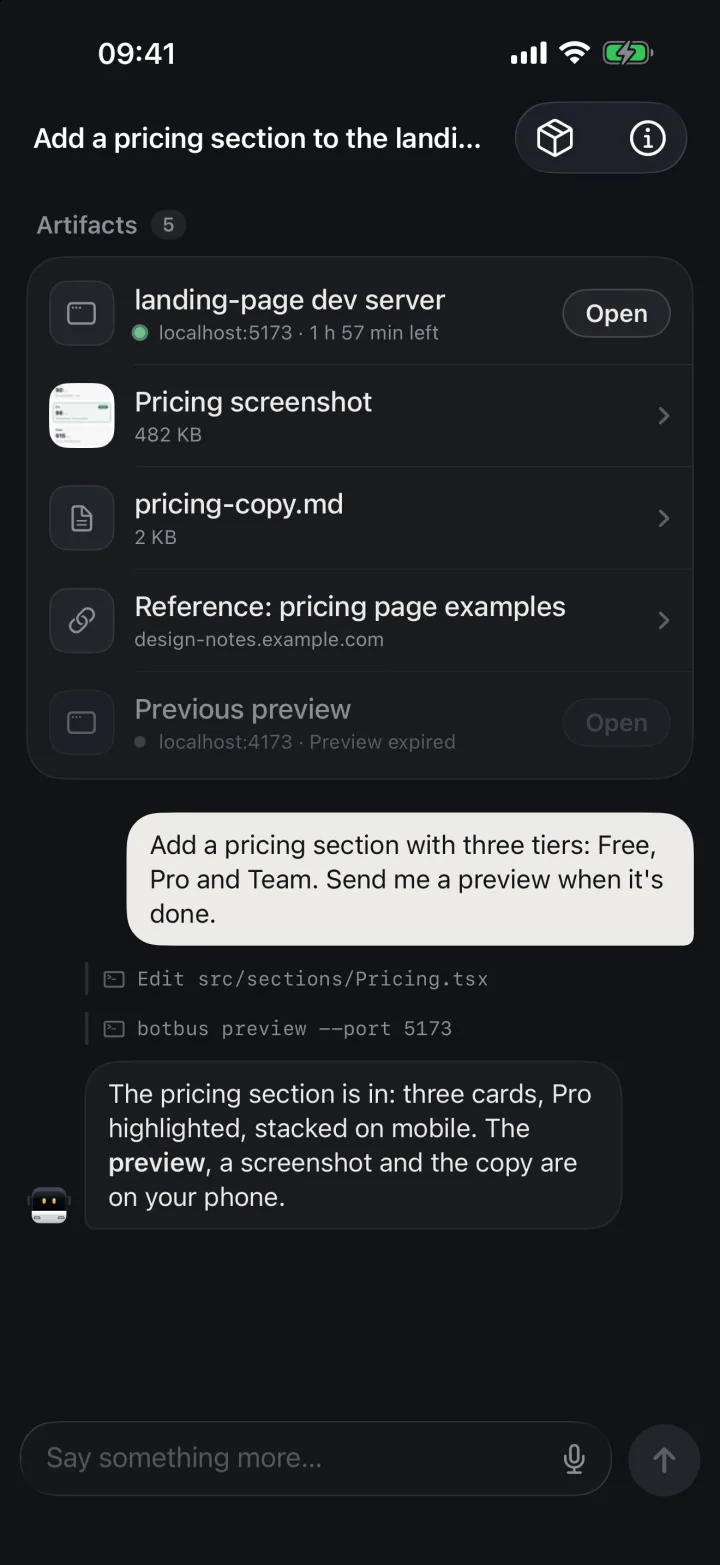
For Codex and Claude Code tasks that you start or continue from the phone, BotBus tells the agent that you are away from the computer and gives it a botbus command-line tool (also exposed as an MCP server) for sharing screenshots, files, links and local web pages back to that task. A preview can come from three sources:
- A port that is already running:
botbus preview --port 5173 - A dev server BotBus manages for you:
botbus preview --port 5173 --cmd "npm run dev". BotBus starts the process, waits for the port, and stops the process when sharing stops. - A static folder:
botbus preview --dir dist
You rarely type these yourself. Tell the agent from your phone something like "when you're done, start the dev server and send me a preview", and it calls the tool. The preview then shows up under the task's Artifacts, and on the Mac, BotBus also takes a phone-sized thumbnail screenshot and attaches it to the same task so you can glance at it before opening anything.
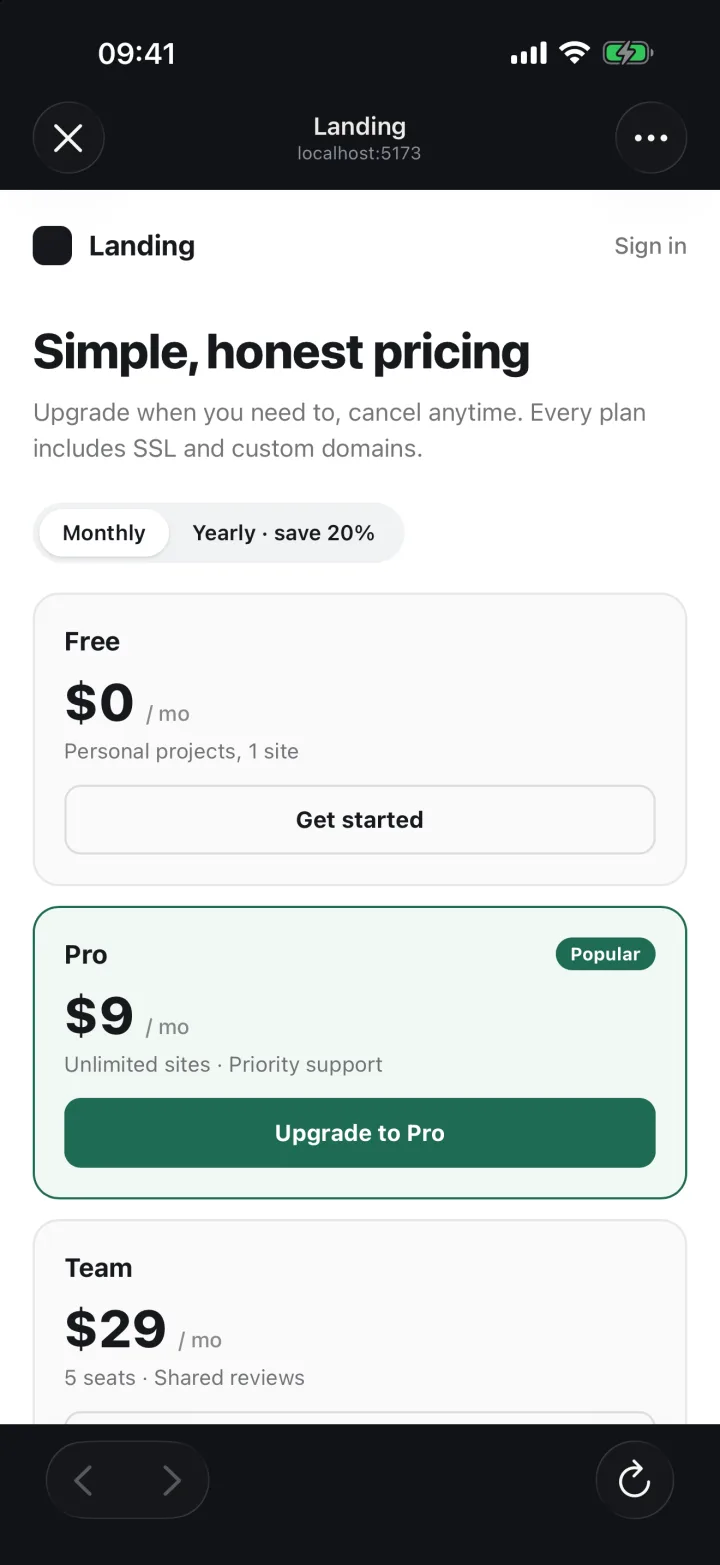
Tap the preview and it opens in the in-app browser on iPhone, or an in-app WebView on Android. It is the live page running on your computer: you can tap, scroll and fill in forms. Ask the agent for another change in the same chat, and when the dev server hot-reloads, the page on your phone updates with it.
How the connection works
BotBus on your computer dials out to the Relay and opens one tunnel per preview, so nothing is opened on your router or firewall and the dev server keeps listening on localhost only. Each time the phone opens a preview, it uses its pairing credentials to get a one-time entry ticket (valid for 60 seconds, single use), and the session cookie it receives only works on that one preview's subdomain.
When forwarding to your machine, BotBus rewrites Host and Origin to localhost:<port>. Vite, Next.js and webpack-dev-server see the same request they would see from your desktop browser, so you don't have to touch allowedHosts. The HMR WebSocket is proxied as well.
When it ends
A preview lives for 2 hours by default and then ends on its own. One Mac can share up to 5 at a time. The Sharing section of the Mac menu bar panel lists each preview with its source, time left and whether the tunnel is connected, and you can stop them one by one. Quitting BotBus or unpairing stops every preview and every dev server BotBus started.
Limits
- Previews are Mac-only. The Linux and Windows versions of BotBus don't offer dev previews (or screen control). On those hosts, "Control computer" on the phone gives you files and a terminal.
- Only inside tasks started or continued from the phone. The
botbustool authenticates with a short-lived token that belongs to one phone task. In a session you started at the computer, or if you run the command by hand in a terminal, it returns "invalid task token". Restarting BotBus invalidates old tokens; continuing the chat from the phone issues a new one. Today the tool is injected into Codex and Claude Code. - Dev previews are not end-to-end encrypted. Tasks, conversations, commands and the remote screen are end-to-end encrypted in BotBus. A web page is different: the browser has to fetch every asset directly, so the server has to proxy it, and preview content passes through the Relay in the clear while you are sharing. Don't preview pages that show real customer data or secrets. Details are in the security docs.
- Hard-coded
localhost:<other-port>calls fail. The tunnel forwards only the port you shared. A frontend that fetcheshttp://localhost:8080/apiwill break on the phone, because that is the phone's own localhost. The instructions BotBus gives the agent steer it toward relative URLs or the dev server's proxy (for example Vite'sserver.proxy). - Size and time caps. A single request body can be at most 16 MiB, and a request times out if your machine doesn't start responding within 30 seconds. It is built for looking at pages, not for moving big files or load testing.
- The computer has to be on and online. Every request travels back through the tunnel to your machine. If the Mac sleeps or drops off the network, the page stops loading. See keeping your Mac awake while agents run.
FAQ
What's the simplest way to view localhost on my phone without extra apps?
If you're at your desk, run vite --host or next dev -H 0.0.0.0, join the same Wi-Fi on the phone, and open your computer's LAN IP with the port. If you're on a different network, use Tailscale or a public tunnel.
Can I send the preview link to a teammate?
No. A preview only opens after a paired phone exchanges a one-time ticket, so a copied URL just shows a page telling the visitor to reopen it from BotBus. For sharing with other people, ngrok or Cloudflare Tunnel is the better fit.
Can I open any port from the phone myself?
Not directly. Previews are started by the agent calling botbus preview inside a phone task; the phone app has no "type a port" box. The quickest route is to start a task or continue one from the phone and ask the agent to share the port that's already running.
Does hot reload work?
Yes. BotBus proxies the dev server's WebSocket, so when the agent edits code, the page on your phone hot-reloads the same way it would on the desktop.
How is a preview different from "Control computer"?
A preview sends one web page to your phone's browser, proxied by the server and outside end-to-end encryption. "Control computer" shows your Mac's live screen plus files and a terminal, all end-to-end encrypted. Use a preview to check how a page looks; use Control computer to click a system dialog or poke at a simulator. To try it, grab the latest BotBus from the download section.