Short answer
Driving a coding agent from a chat app works today, and you don't have to build it yourself. Claude Code's official Channels feature ships Telegram, Discord and iMessage plugins. Hermes Agent has a built-in messaging gateway that covers Telegram, Discord, Slack, WhatsApp, Signal and a long list of others. The community project cc-connect bridges Claude Code, Codex and several other CLIs to Slack, Telegram, Discord, Feishu/Lark and more. (All checked on 2026-11-02.) The big win is that there's nothing new to install on your phone, and a bot can sit in a team channel.
What they share is the shape of a chat window: one long stream of messages rather than a task list, no view of the sessions you already have open on your computer, approvals and diffs squeezed into chat bubbles, and every message passing through the chat platform's servers. A dedicated app such as BotBus fills those gaps, at the cost of one more app and no group-chat collaboration. Here is the comparison in detail.
The chat-bot options today
Claude Code Channels (official, research preview)
A channel is an MCP server that pushes outside events into the Claude Code session you already have open. Anthropic ships Telegram, Discord and iMessage plugins, plus a local "fakechat" demo. The flow: install the plugin, configure your bot token, restart with claude --channels plugin:telegram@claude-plugins-official, message your bot to get a pairing code, pair it in the terminal, then lock access down to an allowlist.
Points worth knowing, all from the official docs:
- It needs Anthropic authentication (a claude.ai account or a Console API key). It isn't available on Amazon Bedrock, Google Cloud or Microsoft Foundry, and Team/Enterprise orgs need an admin to turn it on.
- The prebuilt plugins run on Bun. iMessage is macOS-only and needs Full Disk Access for your terminal.
- Messages only arrive while the session is open, so an always-on setup means running Claude in a background process or a persistent terminal.
- Permission relay: channels that opt in receive tool approvals (Bash, Write, Edit and so on) in parallel with the terminal dialog, and whichever answer arrives first wins. The Telegram plugin sends a message with "See more / Allow / Deny" buttons. Project-trust and MCP-consent dialogs are not relayed.
- When Claude replies through a channel, your terminal shows only the tool call and "sent"; the reply text lives on the chat platform.
Hermes Agent's messaging gateway
Hermes has the widest platform list of the three. hermes gateway runs a background process, and the docs list Telegram, Discord, Slack, WhatsApp, Signal, Matrix, Microsoft Teams, LINE, Feishu/Lark, DingTalk, WeCom and more. Unknown users are denied unless they are on an allowlist or paired by DM. Dangerous commands are approved with /approve or /deny, past sessions come back with /sessions and /resume, and /stop cancels the current turn. We covered Hermes on mobile in more depth in Hermes Agent on your phone.
cc-connect (community, MIT)
cc-connect is an open-source bridge, not affiliated with any agent vendor. It connects Claude Code, Codex, Cursor Agent, Gemini CLI, OpenCode, Pi and others to Slack, Telegram, Discord, Feishu/Lark, DingTalk, WeCom, QQ, LINE, Matrix and more. Its README says most platforms need no public IP (LINE and WeCom's webhook mode are the exceptions). Sessions are managed with /new, /list and /switch; permissions are switched with /mode default (ask for each tool) and /mode yolo (approve everything); admin_from restricts sensitive commands such as /shell.
Where chat bots are genuinely better
- Nothing new to install. Telegram or Slack is already open on every device you own, with notifications, voice notes and file sharing built in. No OS version requirements.
- Teams. Put the bot in a channel and teammates can watch progress and give instructions (if you allowlist them). A personally paired app can't do that.
- Breadth. One Hermes gateway reaches twenty-plus platforms; cc-connect adds scheduled jobs, model switching and multi-bot relays in group chats.
- Webhooks. Claude Code Channels can push CI failures or alerts straight into a running session, not just chat messages.
If you mostly talk back and forth with one session, or your team already lives in Slack or Discord, a bot may be all you need.
Where chat bots get awkward
A stream, not a list. With three projects running, finding out which one is waiting on you means scrolling. Channels only feed the one session you started with --channels. Hermes and cc-connect sessions start from the chat; neither set of docs explains how to attach a session you already started in your terminal.
Approvals squeezed into bubbles. Claude Code relays the tool name, a description and an argument preview. Per the docs, each field over 3,500 code points is shortened to its start and end, and recognizable credentials become [REDACTED]. That's sensible for safety, but reading a long command in a phone chat bubble isn't pleasant. Hermes uses typed /approve replies; cc-connect's README describes permission modes rather than per-call buttons.
No view of the changes. Which files changed, how many lines, what the diff looks like: in chat you either trust the agent's summary or have it send files you can't easily compare.
The platform sees the traffic. Bot chats on Telegram are cloud chats, not end-to-end encrypted, and workplace tools store messages according to their own and your company's policies. Commands, paths and code snippets all travel that way. With permission relay, anyone who can reply in that chat can approve tool calls, which is why the docs tell you to allowlist only people you trust.
What a dedicated app adds: BotBus as the example
BotBus runs on your computer (a menu bar app on Mac, plus Linux and Windows versions), finds the Codex, Claude Code, Hermes, Pi, OpenClaw and DeepSeek Harness sessions on that machine, along with other agents connected over ACP, and syncs them through an end-to-end encrypted relay to your phone and watch. Compared with a chat bot:
- It finds existing sessions. Keep running
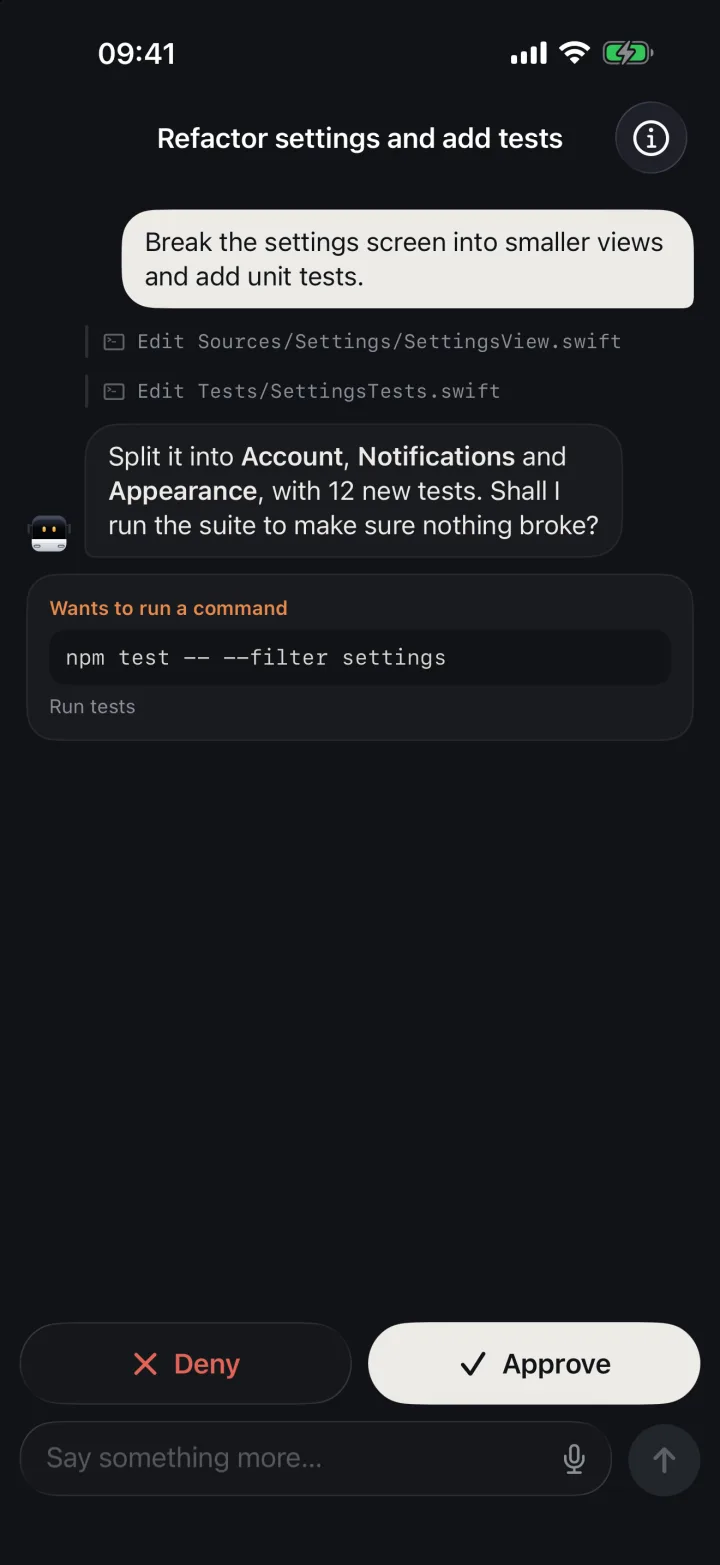
claudeorcodexin your terminal as usual; the tasks show up on your phone grouped by computer, project and agent, across several computers. - Approvals are cards. The command or file edit is shown on a card with Allow and Deny; multiple-choice questions are tap-to-answer. Claude Code sessions started on the computer need BotBus's hooks installed first. See approving Claude Code from your phone.
- Uncommitted changes. Per-file line counts and diffs, enough to judge whether the agent is heading the right way.
- Results come to you. Screenshots, files and videos come back with the task, and dev servers can be previewed on the phone; see agent screenshots and files on your phone.
- Push only when it matters: waiting for approval, waiting for a reply, finished, failed.
- Apple Watch can approve and reply too.
- Content is end-to-end encrypted before it leaves your devices; see how the encryption works.
Limits
- It's an app, and it's personal. You pair your own phones with your own computers. Several phones can pair, but there's no shared channel, so for a team watching one agent together a bot fits better.
- Control depends on the connector, the task state and the computer being online. Approving, following up, starting and stopping all need the computer awake and connected. Some agents have no approval channel: Pi has no approvals, and Hermes in the one-shot
-qmode BotBus uses has none either (exactly where the gateway's/approveshines). - Metadata isn't hidden. The relay can't read content, but it sees device IDs, online status, update times and data sizes. Dev previews are proxied through the server and are outside end-to-end encryption.
- Notifications depend on your OS permissions and settings.
- Platforms. iPhone and Apple Watch on the App Store (iOS 26 / watchOS 26 or later); Android 8.0 or later as an APK from the download section.
Using both
They overlap but don't conflict. A common split: team-visible work goes through a Slack or Telegram bot, while the Codex and Claude Code sessions on your own machine are watched in the app. Hermes gateway conversations also show up in BotBus, under your home-directory project. For a single Claude Code session, though, pick one approval path: running Channels permission relay and BotBus hooks together means two places can answer the same prompt, and it gets hard to tell who approved what.
FAQ
Can I control Claude Code from Telegram?
Yes. Claude Code Channels has an official Telegram plugin, with approval buttons via permission relay. The session must be started with --channels and stay open, and you need Anthropic authentication.
Does Claude Code Channels work with Bedrock or a third-party API proxy?
The docs say Channels require a claude.ai login or a Console API key and are not available on Bedrock, Google Cloud or Microsoft Foundry. Third-party proxies aren't mentioned. BotBus works with the Claude Code installed on your machine whatever it signs in with; see Claude Code with an API key or proxy on your phone for the one setting to get right.
Is a chat bot or a dedicated app more secure?
It depends on what you care about. Bot messages pass through the chat platform, and whether it can read them depends on its encryption. BotBus encrypts content end to end but its relay still sees metadata. Either way, whoever can approve can make the agent run commands on your computer, so keep the allowlist and pairings tight.
I already use the Hermes Telegram gateway. Do I need BotBus?
Not necessarily. If Hermes is your personal assistant and you want to approve risky commands in chat, the gateway covers it. BotBus makes sense when you want Hermes, Codex and Claude Code in one list, including sessions started on your computer and the code they changed.