The short answer
After a round of Claude Code or Codex finishes on your computer, you can open that session on your phone, type what you want next, and send it. The agent picks up from where it stopped. No terminal required, no need to be at your desk. The catch: the computer has to be online, and the agent's connector has to support follow-ups.
How a follow-up differs from a new task
Starting a new task gives the agent a clean context. Following up stays in the existing one. The agent has already seen your project, the changes you asked for in the previous round may already be written, and you're just adding "write tests for that too" or "the edge case handling is wrong, fix it".
Under the hood, BotBus resumes the session using the agent's own mechanism. For Claude Code, that means running claude -p --resume <session-id> on your Mac and piping in the message you typed on your phone. For Codex, it starts a new turn on the same thread. Different agents handle this differently, but on your phone the experience is the same: open the session, type, send.
Step by step
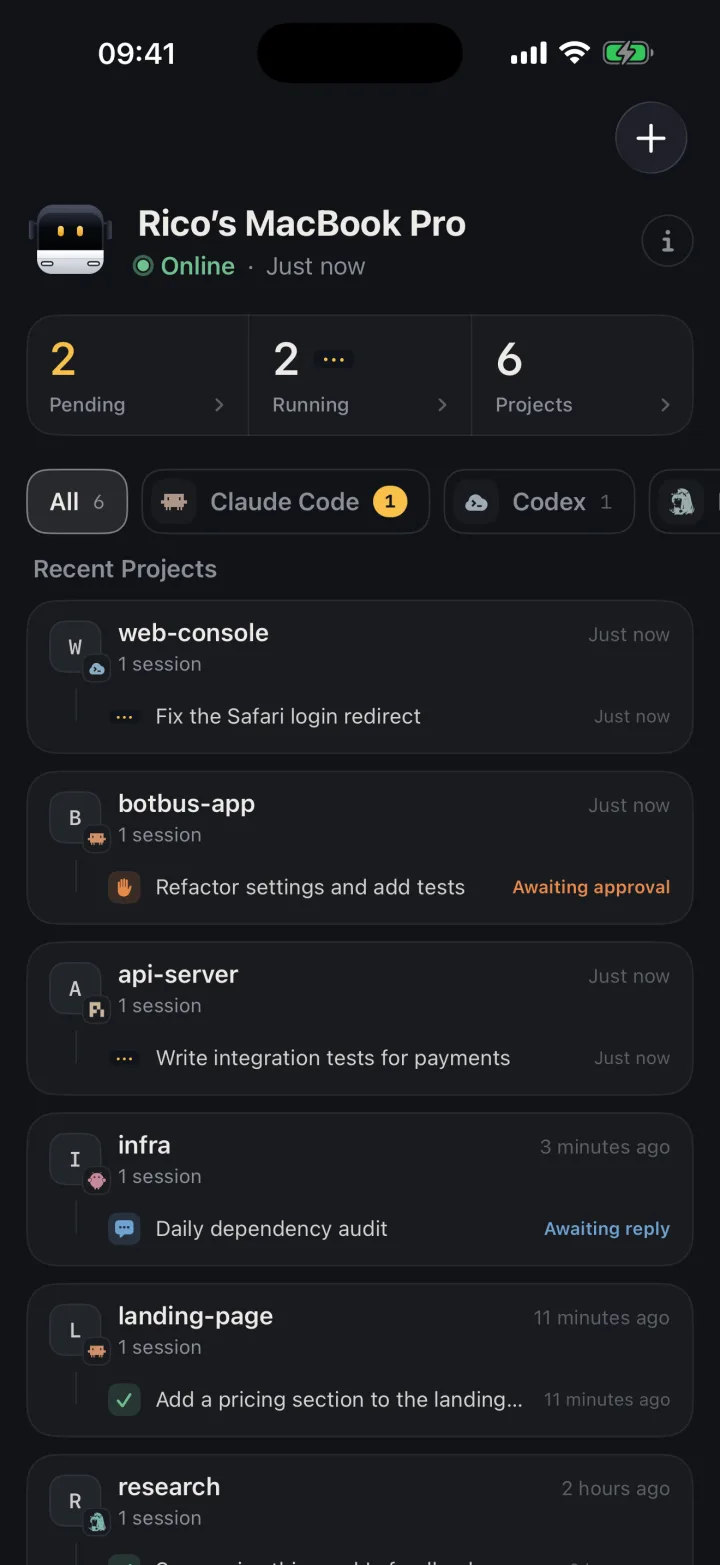
- Open a completed or idle session. Find the task on your computer's screen in the app. Tap into it to see the conversation: what the agent said, which files it changed.
- Type in the input box at the bottom. Anything you would type in a terminal works here: a new request, a question, some extra context. Codex and Claude Code also accept images, such as a screenshot showing "this is the result I meant".
- Tap send. The message is encrypted on your device before reaching the relay server, then delivered to your computer. BotBus starts the agent's resume process and you can watch it work from your phone. Approvals and questions come to your phone as usual.
- Repeat as many times as you need. A session can be followed up across many rounds. Each time, you see the new changes.
You can send while the previous turn is still running
If you send a follow-up to a session that hasn't finished its current turn, BotBus won't reject or drop it. The message is queued, and once the running turn finishes, the agent resumes with queued messages in arrival order. A receipt goes back to your phone immediately, so you know it was received. If you interrupt the session, any queued follow-ups are cleared too.
This guarantees two things. You can always add thoughts without waiting for the agent to stop, and two processes never write to the same session at the same time — which would fork the transcript.
Switch models when you follow up
Before you send, tap the "Model · Effort" button next to the input box to switch. Maybe the last round ran on Claude Sonnet but this round is trickier, so you switch to Opus. Or it's a quick formatting pass and Haiku is enough. The new model and reasoning effort apply starting from that turn. For Codex, the available models depend on the version installed on your computer; if it doesn't report models, the button won't appear.
How different agents handle follow-ups
| Agent | Resume mechanism | Images |
|---|---|---|
| Claude Code | --resume, may branch to a new session ID |
Yes |
| Codex | New turn on the same thread | Yes |
| DeepSeek Harness | Via ACP or dsh web |
No |
| OpenClaw | Via Gateway connection | No |
| Hermes / Pi | Via their own CLIs | No |
| Third-party ACP agents | Depends on the agent | No |
Not every session supports follow-ups. Sessions that BotBus can only observe but not control — such as a Claude Code session running in a terminal window on your computer — can be viewed on your phone but not resumed from it. The connector needs to hold or be able to claim the session.
Picking up the session on your computer
If you followed up from your phone a few times and then sit down at your desk, BotBus's menu bar app lists sessions for each agent. Click "Open in Terminal" and it runs the agent's own resume command, like claude --resume or codex resume. That button is disabled while a phone-started turn is running or waiting for your reply, so two processes never write to the same session at once.
Limits and caveats
- The computer must be online. Follow-ups, like all commands, need the target computer on and connected. A sleeping laptop won't receive them.
- System prompts stay on the computer. macOS folder access dialogs, GPG signing passwords and similar prompts can only be answered at the desk.
- Images are Claude Code and Codex only. Other agents reject follow-ups with images outright rather than silently dropping the attachment.
- Content is encrypted, metadata isn't. Conversations are encrypted on your devices before passing through the relay server, which sees only ciphertext. It still sees device IDs, online status, update times and data sizes. Developer previews are not end-to-end encrypted. See the encryption details.
Can you use it today?
BotBus runs on macOS 26 or later as a menu bar app and on x86_64 / aarch64 Linux as a command-line program (see the install guide). The iPhone and Apple Watch app is available on the App Store. Windows and Android are planned. To learn about starting new tasks, see how to start a Claude Code or Codex task from your phone. For approvals, see approving Claude Code from your phone.
Can I follow up on a session I started on my computer?
Yes. It doesn't matter whether the session was started from a terminal or from your phone. As long as BotBus can see it and the connector supports follow-ups, you can send a message to continue it.
Does following up create a new session?
On Codex, no — it adds a new turn to the same thread. On Claude Code, the --resume flag can branch into a new session ID, but on your phone it still looks like the same task. BotBus tracks the ID change automatically.
Does it use my own quota?
Yes, same as following up at your desk. BotBus launches the agent's resume process on your computer with your own account. It doesn't proxy model requests.
Can I follow up from Apple Watch?
Yes. Open the task on your watch and type or dictate in the input box. It works the same way. Long conversations and complex prompts are still easier on the phone, though.
What's the difference between interrupting and following up?
Interrupting stops a running agent. Following up sends a new message after the agent has stopped. If you send a follow-up while the agent is running, the message is queued until the current turn finishes. If you interrupt, any queued follow-ups are cleared as well.