Short answer
As of 2026-11-03, Pi — the open-source coding agent maintained by Earendil and published as @earendil-works/pi-coding-agent — ships as a terminal UI plus three integration surfaces: print/JSON mode, an RPC protocol over stdin/stdout, and a TypeScript SDK. There is no official iOS or Android app and no official web client. So "Pi on my phone" today means SSH-ing back into your machine, installing a community-built client, or using a general tool such as BotBus, which reads Pi's session files on your computer and syncs them, end-to-end encrypted, to your iPhone, Apple Watch or Android phone. From there you can read transcripts, follow up, start a new task and stop a run you started from the phone.
Below is what Pi itself offers, how the existing options compare, and exactly what BotBus can and cannot do with Pi.
What Pi offers today
Checked on pi.dev and the official GitHub repository on 2026-11-03:
- Interactive TUI: run
piin a terminal. Install with the one-line script from the website, withnpm install -g @earendil-works/pi-coding-agent, or with the PowerShell script on Windows. - Print / JSON:
pi -p "…"runs once and exits;--mode jsonstreams the turn as events. - RPC: a JSON protocol over stdin/stdout for non-Node integrations.
- SDK: embed Pi in your own app.
- Mobile or web: nothing official. The monorepo contains the LLM API, the agent runtime, the TUI library and the coding agent CLI — no phone client.
Two design choices matter for remote use. Pi has no built-in permission prompts — the website says so directly and points you to extensions if you want a confirmation gate — so a Pi session never pauses waiting for you to approve something. And sessions are trees: /tree lets you jump back to any earlier point and branch, with every branch stored in a single file.
The existing options, and who each one suits
SSH + tmux. Keep Pi running inside tmux, connect from a phone SSH client over Tailscale or similar, and tmux attach. It's free and you get the real Pi: extensions, /tree, model switching, everything. The friction is the phone itself. A full-screen TUI is hard to read and type into on a small screen, mobile SSH sessions tend to drop when the app goes to the background, and nothing tells you when a run has finished, so you end up checking in on a timer. Good if you only need it occasionally and already live in a terminal.
Community clients. Because Pi exposes RPC and an SDK, people have built dedicated phone front ends. Pi in Pocket on the App Store, for example, is published by an independent developer (the listing doesn't claim any affiliation with the Pi project). It needs a companion pi-bridge server on your Mac and connects over your local network or Tailscale. The listing advertises live streaming of the agent's output, steering mid-turn and queuing follow-ups, switching models and thinking levels, compacting context, and push notifications when a task finishes. GitHub also has an Android client that talks to pi-rpc over Tailscale, and several mobile-friendly web UIs. These tools focus on Pi alone and usually cover more of its features than a general tool does. If Pi is the only agent you use, your machine is a Mac, and you're happy running Tailscale, try one of them first. The trade-offs: most need an extra bridge process, securing that entry point is your job, and they don't help with your other agents or machines.
BotBus. A better fit when Pi is one of several agents you run (Codex, Claude Code and so on) and you want them in one list, when you have more than one computer, when you want Apple Watch, or when you'd rather not set up Tailscale or a tunnel. The cost: BotBus does the common things for Pi, not the Pi-specific ones. Steering mid-turn, switching models and branching with /tree stay on the desktop.
How BotBus connects to Pi
The setup is simple, but the requirements matter: Pi must be installed on the computer that runs BotBus, with your model API key or login already configured in Pi, and that computer has to be on and online. BotBus runs on macOS 26 or later (a menu bar app), on Linux (install guide) and on Windows. Install the latest version.
Pi is supported out of the box; there's nothing to configure. Two parts:
- Seeing sessions. BotBus reads
~/.pi/agent/sessionsread-only and lists sessions written in the last 7 days (up to 200), grouped by the working directory recorded in each session. When a session has branched, BotBus follows the current branch — the path back from the latest entry — and ignores branches you abandoned with/tree. Sessions you started in your own terminal show up too; you don't have to launch Pi any differently. - Acting. When you start or follow up from the phone, BotBus launches a
pi --mode jsonprocess on the computer for that turn, passing--sessionwith the original session file for a follow-up. The process exits when the turn ends and the result lands in the same file. If BotBus can't find thepibinary, sessions are view-only.
What you can do from the phone
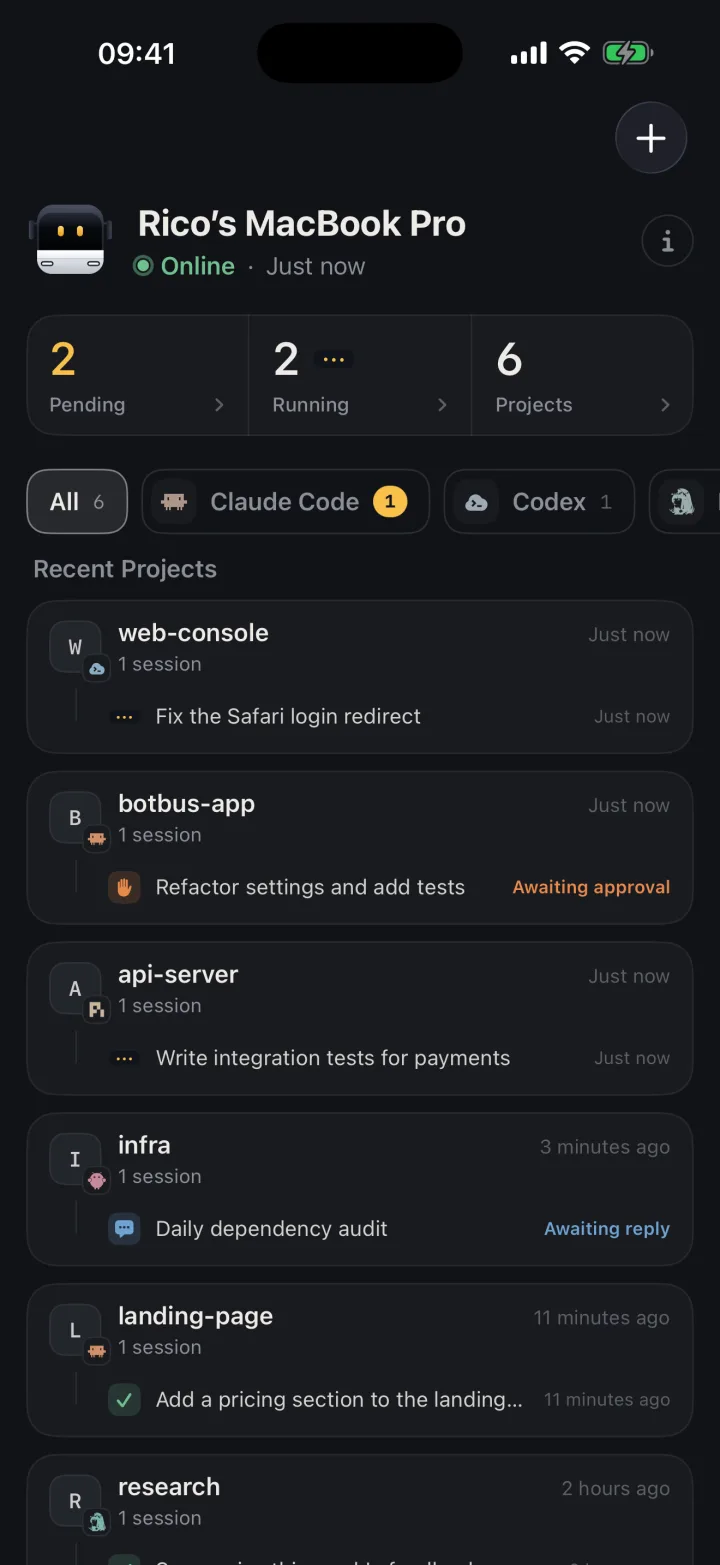
Read sessions and transcripts. Pi sessions sit alongside your other agents' tasks, grouped by computer and project, with the full conversation one tap away. Desktop sessions carry no explicit "running" flag, so BotBus infers it: if the last entry is still waiting on the model and the file was written in the last two minutes, the session is running; if it has sat like that for longer, the process is most likely gone and it shows as interrupted. Expect a lag of a few seconds up to two minutes.
Get push notifications when a task finishes or fails, provided notifications are allowed on the phone. Since Pi has no approvals, you won't get "waiting for approval" alerts. More on how this works in coding agent push notifications.
Follow up. When a turn ends, open the session and type; BotBus continues it in the session's original working directory. See continue an agent session on your phone.
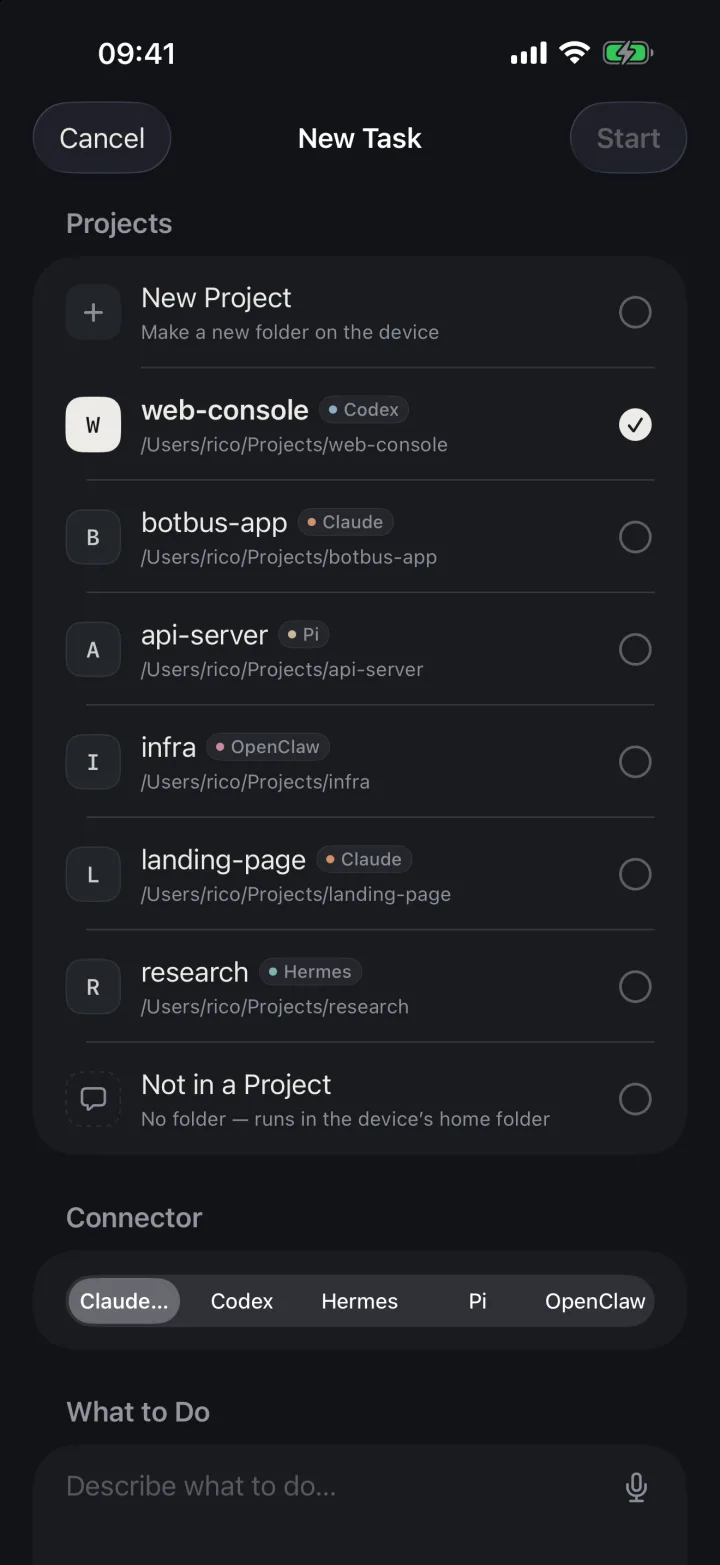
Start a new task. Pick the computer, project and Pi, type the request, and it starts. BotBus appends instructions for the botbus command-line tool via --append-system-prompt, so Pi can send screenshots, files and links back to your phone; whether it actually does depends on Pi and the model you use.
Stop a run. If a turn started from the phone goes off track, tap stop. BotBus sends the process an interrupt and marks the turn interrupted. How this differs across agents: stop an AI agent remotely.
Pick it back up at your desk (Mac). In the menu bar, Pi's row lists sessions started from the phone. "Continue" opens Terminal in the session's working directory and runs pi --session <session file>, putting you back in the TUI. The button is disabled while a turn is still running so two processes never write the same file. Details in resume a phone session on your computer.
Limits
- No approvals. Pi has no permission system, so there are no approval cards — tool calls simply run. A confirmation gate you built with a Pi extension isn't visible to BotBus either. Tasks started from the phone also run without confirmation, so scope your request carefully.
- Desktop runs are hands-off. You can't follow up on a Pi session that is currently running in your terminal (a second process would write the same file), and you can't stop it, because BotBus didn't start that process. Wait for it to finish, or stop it at the computer.
- One turn at a time. While a phone-started turn is running, another follow-up to the same session is rejected until it ends.
- Pi-specific features stay on the desktop. No mid-turn steering, no model or thinking-level switching, no auto-approve, no deleting sessions, no switching branches.
- No images from the phone. A message with a photo is rejected with an error saying the agent doesn't support images, rather than silently sending only the text.
- 7-day window. Older sessions don't appear.
- Sleep stops everything. When the computer sleeps or goes offline you can still read what already synced, but follow-ups, new tasks and stopping wait until it's back.
- Content is encrypted; metadata isn't. Conversations, commands and results are encrypted on your devices before they reach the relay. The server can see device IDs, online status, update times and data sizes, and dev previews are outside end-to-end encryption. See security.
- Phone apps. iPhone and Apple Watch are on the App Store (iOS 26 / watchOS 26 or later). Android needs Android 8.0 or later; get the package from the download section of the website.
FAQ
Is there an official Pi coding agent mobile app?
Not as of 2026-11-03. Pi ships a terminal UI plus print/JSON, RPC and SDK integration modes. The phone clients you'll find are community projects that connect to Pi running on your own computer.
I already use a Pi-specific app like Pi in Pocket. Do I need BotBus?
Not necessarily. If Pi is all you use and you want mid-turn steering or model switching on the phone, a dedicated Pi client fits better. BotBus is for when you also run other agents, have several computers, want Apple Watch, or don't want to maintain Tailscale. They can coexist; BotBus only reads the session files.
Pi has no approvals. Is it safe to start tasks from my phone?
A phone-started Pi task behaves exactly like one started at your desk: tool calls don't pause for confirmation, by Pi's design, and BotBus doesn't add a gate. If you need one, build it inside Pi with its extension examples, or send that kind of work to an agent that supports approvals.
Can I continue a phone-started Pi session in the TUI later?
Yes. The session lives in Pi's own sessions directory. On the Mac, "Continue" in the menu bar opens it with pi --session; on Linux and Windows you can run the same command yourself from the session's working directory.
How do I get started?
Install and configure Pi on your computer, get BotBus from the download section, and scan the pairing QR code with your phone. Pi appears in the agent list automatically.